
Before you can assign roles to managers, you must enable permissions. To enable permissions, ask your CSM or complete the following steps.
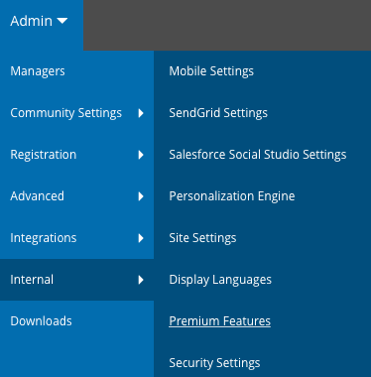
- Go to Admin > Internal > Premium Features.
- In the Manager App region of the Premium Features page, select the Permissions checkbox.
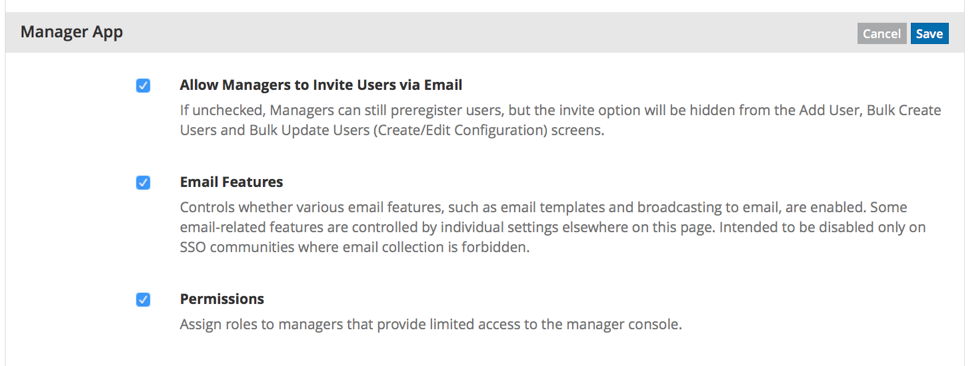
- Click Save.